Professional portal for municipalities, care homes, social services and home care

Morning triage, L1/L2/L3 risk management, POMOST data export, staff roles and SLA escalation. All in the browser — no additional hardware. With a data processing agreement for public sector entities.

Schedule a demo See features
🔒
Privacy protection
📱
No additional hardware
📌
POMOST data export
👥
5 staff roles
Lovivo — portal for staff in care homes and social services

A solution for different types of care facilities

The portal adapts to your organisation's structure — from a small home care service to municipal social welfare units and large care homes with dozens of residents.

🏢

Care Homes & Nursing Homes

Activity monitoring for residents, no-response alerts, daily reports for shift staff and families.

🏛

Municipalities: social services offices

Support for municipal care services and senior programmes. Remote activity verification for independently living care recipients. Standard data export without manual data entry.

👪

Private care homes

Transparency for families — real-time dashboard access builds trust and sets you apart from competitors.

👤

Home and community care

Insight between visits. Staff know, before leaving, whether a visit that day is urgent or routine.

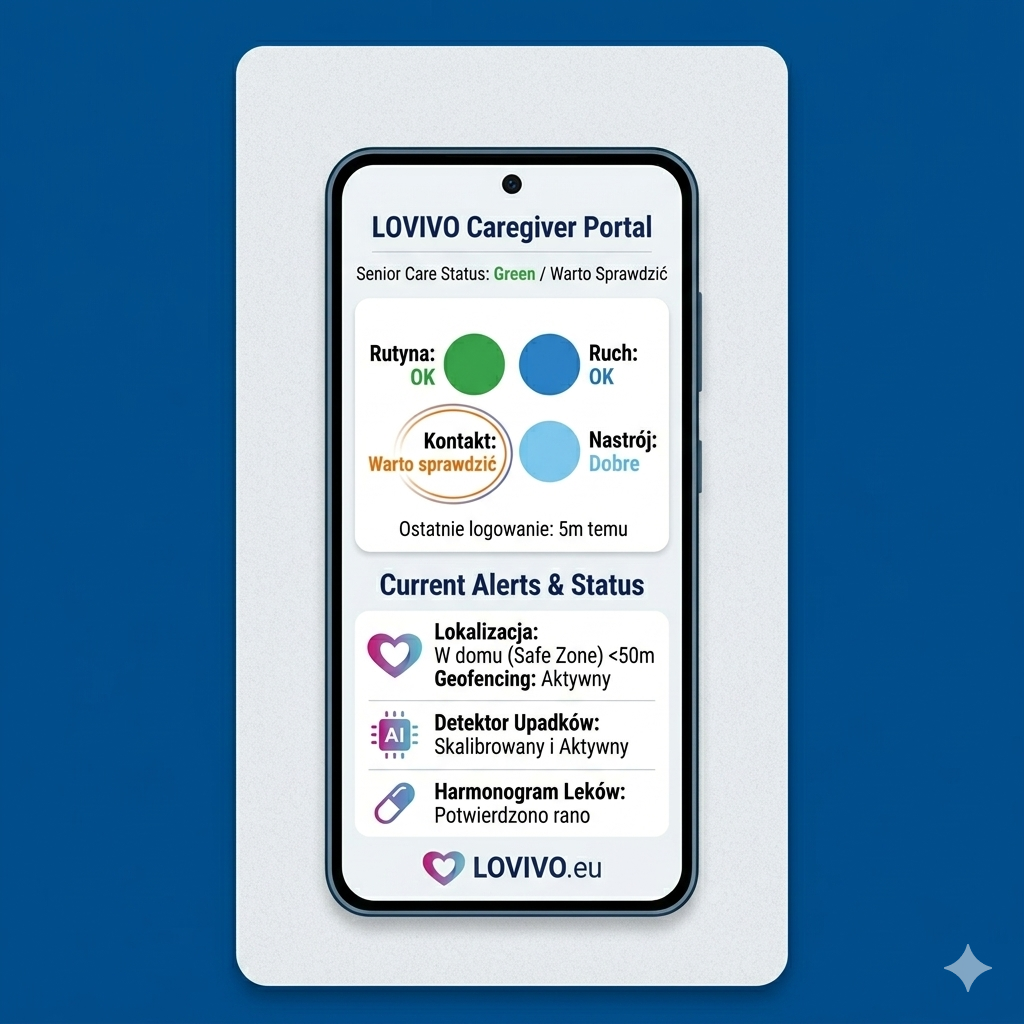
Start the day with the “Today” screen

One glance — and you know who needs urgent attention before the first round. The portal sorts care recipients by priority, not alphabetically.

  • No response / offline The care recipient has not sent data above the threshold — immediate contact required.
  • Missed medication — today Low adherence alert for today. Dose history visible.
  • Risk level L1 or L2 Care recipients with an actively elevated risk level — increased monitoring.
  • Low Wellbeing Score Activity indicator clearly below the norm for this person — downward trend.
  • No check-in The care recipient did not respond to the wellbeing question. Verification required.
  • Under control (muted) After a visit you can mute the alert for 7 or 14 days — they disappear from the priority list.
Today screen — morning triage of care recipients in the Lovivo portal

What does your facility gain?

Lovivo is a tool that supports staff — not replaces them. More information, faster response, less paperwork.

⚠️

Faster alert response

Push notifications about inactivity reach designated staff in real time. Escalation to the manager if nobody responds within 2 hours.

🔍

Risk levels L1 / L2 / L3

Each care recipient can be assigned a risk level with justification. Every change is logged in the audit trail — who, when and why the level was changed.

📊

Monthly reports and CSV

Ready-made activity summaries for each month. CSV export for management and documentation — no manual data collection from notebooks.

📝

Documents and notes for each care recipient

Each profile has tabs: overview, notes, visit history, alerts. Files, assessments across 6 domains, change history — all in one place.

😊

Daily check-ins and Wellbeing Score

A simple wellbeing question with large emoji buttons on the senior's phone. Collected responses build a wellbeing score (0–100) with a weekly trend chart.

💊

Day-by-day medication adherence

An alarm on the care recipient's phone at scheduled times. Staff see the history as a 4-week chart — without asking "did they take their tablets?"

📍

Location and activity

Route history from recent days, step count, activity time. Map with automatic refresh after the senior's device syncs.

💰

Lower cost than dedicated hardware

No wristbands, motion sensors or installation. Just an Android smartphone — even a budget model.

🔒

Privacy and data security

Care recipients' phones operate on anonymous accounts, while staff log in with their own credentials — every action is logged in the audit trail. Encrypted transmission (TLS/SRTP), data isolation between organisations.

🚨

Automatic SLA escalation — no alert goes unnoticed

The system tracks whether each alert has been acknowledged by staff. If nobody responds — it automatically escalates to a higher management level.

1
Alert reaches a staff member
2
After 2h with no response → push to manager
3
After 4h → escalation to director

5 roles tailored to your facility's structure

Each staff member sees only what they need. Roles reflect the real hierarchy — from social worker to director.

Role Care recipient list Alerts & triage Notes & documents Reports & CSV Staff management
Social worker Own care recipients Own alerts ◯ Individual
Duty officer All active “Today” triage ◯ View only
HR Admin ◯ View only Staff accounts
Manager Whole org SLA & escalations Monthly + CSV ◯ Assignment
Director Full view All Full export Full

Data processing agreement and GDPR mechanisms

We know the first questions come from the data protection officer. The institution remains the data controller for care recipients' data — Lovivo processes it solely on its behalf and at its instruction.

📄

Data processing agreement

We sign a data processing agreement (Art. 28 GDPR) with each institution. The scope, purpose and duration of processing is defined by the institution as data controller.

Care recipient consent with register

Every grant and withdrawal of consent by a care recipient is recorded in the audit register. Upon withdrawal of consent, the organisation's notes about the care recipient are automatically deleted.

Automatic data retention

The data retention period is set by the institution — once it expires, data is deleted automatically every day. Location history is stored for a maximum of 3 days.

🔍

Audit log of staff actions

Every staff action in the portal — who, when and what — is recorded in the organisation's audit log. Entries are stored for a maximum of 2 years, with automatic purging.

📥

Data export and deletion

A care recipient's data can be exported (CSV, PDF, POMOST) and permanently deleted on request — including all associated records and files.

🔒

Data minimisation

The care recipient's phone runs on an anonymous account — no email or national ID number. Audio from voice calls is not recorded, and the app has no access to conversation content or messages.

Data export to the POMOST system

The portal generates a CSV file in the POMOST Std. format — ready to import without manual re-entry. One click replaces hours of spreadsheet work.

📄

16-field Assessment Form

All required POMOST Std. fields filled automatically from the senior's data.

📊

Monthly report

Activity summary for the selected month. Ready to attach to the facility's documentation.

📌

UTF-8 encoding + semicolons

Standard Excel format — the file opens correctly without conversion or character re-encoding.

📷

PDF before a visit

One click generates a printout with a 6-domain assessment and event history from recent weeks.

POMOST export example (excerpt)
PESEL;Imię;Nazwisko;Data urodzenia;Płeć;
Activity (7 days);Check-ins;Medication (adher.);
Wellbeing Score;Last contact;Notes

---
;Jan;Kowalski;1942-05-15;M;
87%;6/7;92%;
71;2026-04-11;No notes

;Maria;Wiśniewska;1938-11-03;K;
54%;4/7;67%;
48;2026-04-10;Visit required

Data in the example is fictional. The actual export contains data from the care recipient's profile — a total of 16 fields required by the POMOST Std. standard.

Lovivo vs. traditional solutions

Criterion SOS wristbands Home sensors Lovivo
Additional hardware Yes (wristband) Yes (sensors, installation) No — a smartphone is enough
Implementation cost 200–500 PLN / person 1,000–3,000 PLN / flat Minimal
Staff roles and permissions Nie Nie Tak — 5 ról
Daily activity reports Nie Limited Yes — steps, routine, check-ins
SLA alert escalation Nie Nie Yes — after 2h and 4h
POMOST data export Nie Nie Yes — CSV ready to import
Family access Usually not Nie Yes — separate dashboard
Senior acceptance Low (stigmatisation) Medium High — an ordinary phone
Monthly reports and PDF Nie Nie Yes — automatically generated

Management dashboard for leadership

Central view of the entire organisation — RAG indicators for each care recipient, staff workload, SLA status and an activity chart for the last 7 days.

5 min
Adding a new care recipient
Number of care recipients in org
24/7
Continuous activity monitoring
Web
Access from any browser
Lovivo organisation dashboard — RAG, SLA, triage, staff workload

What does the implementation process look like?

From first contact to a working system — no complex installation or IT integration.

1

Consultation

We learn about your facility's needs, number of care recipients, staff structure and expected roles.

2

Configuration

We create accounts for staff with the correct roles and install the app on care recipients' phones.

3

Training

A short training session for staff on the triage screen, alerts, reports and POMOST export.

4

Support

Ongoing technical support, regular portal updates and configuration adjustments.

Schedule a free demo

We will show you the portal in action — triage, reports, staff roles and POMOST export. We will prepare an individual quote tailored to the number of care recipients and your facility's structure.